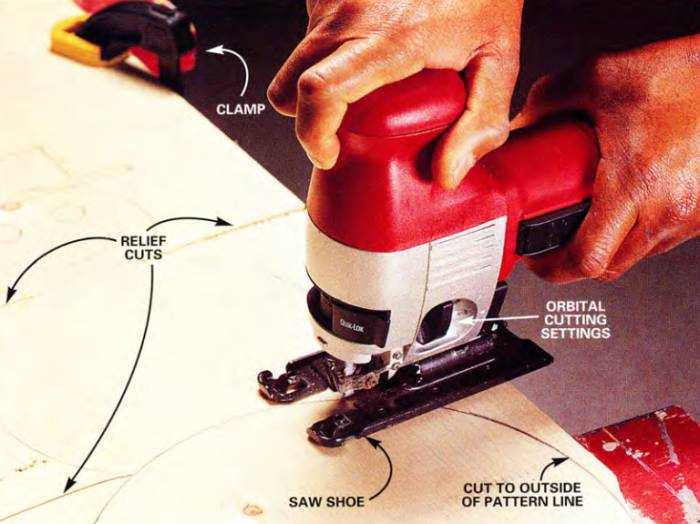
Jigsaw orbital action adds a small forward-and-backward movement to the blade as it reciprocates, making the cut faster and more aggressive. Use little or no orbit when you need control and a cleaner finish, and use more orbit for faster cuts in suitable wood and other softer materials.
For DIYers, remodelers, cabinetmakers, and woodworkers in the United States, the orbital-action selector is one of the most useful controls on a modern jigsaw. The setting can change how quickly the tool moves through plywood, lumber, plastics, and other materials, but increasing the number does not automatically produce a better cut.
With orbital action turned off, the blade travels primarily straight up and down. When orbital action is engaged, the blade receives additional forward movement during the cutting stroke, creating a more elliptical or pendulum-like path. That movement helps the teeth take a more aggressive bite and can clear chips more effectively, but it can also increase tear-out, vibration, and roughness. Manufacturer manuals from Bosch, SKIL, Makita, and other tool makers generally recommend choosing the setting according to the material, blade, and desired finish and making a test cut when the correct setting is uncertain.
Source: wonkeedonkeetools.co.uk
What Is Jigsaw Orbital Action?
Jigsaw orbital action is a feature that changes the blade from a primarily straight reciprocating path to a path that also moves forward and backward. The blade still travels up and down, but the additional movement changes how its teeth enter and leave the workpiece.
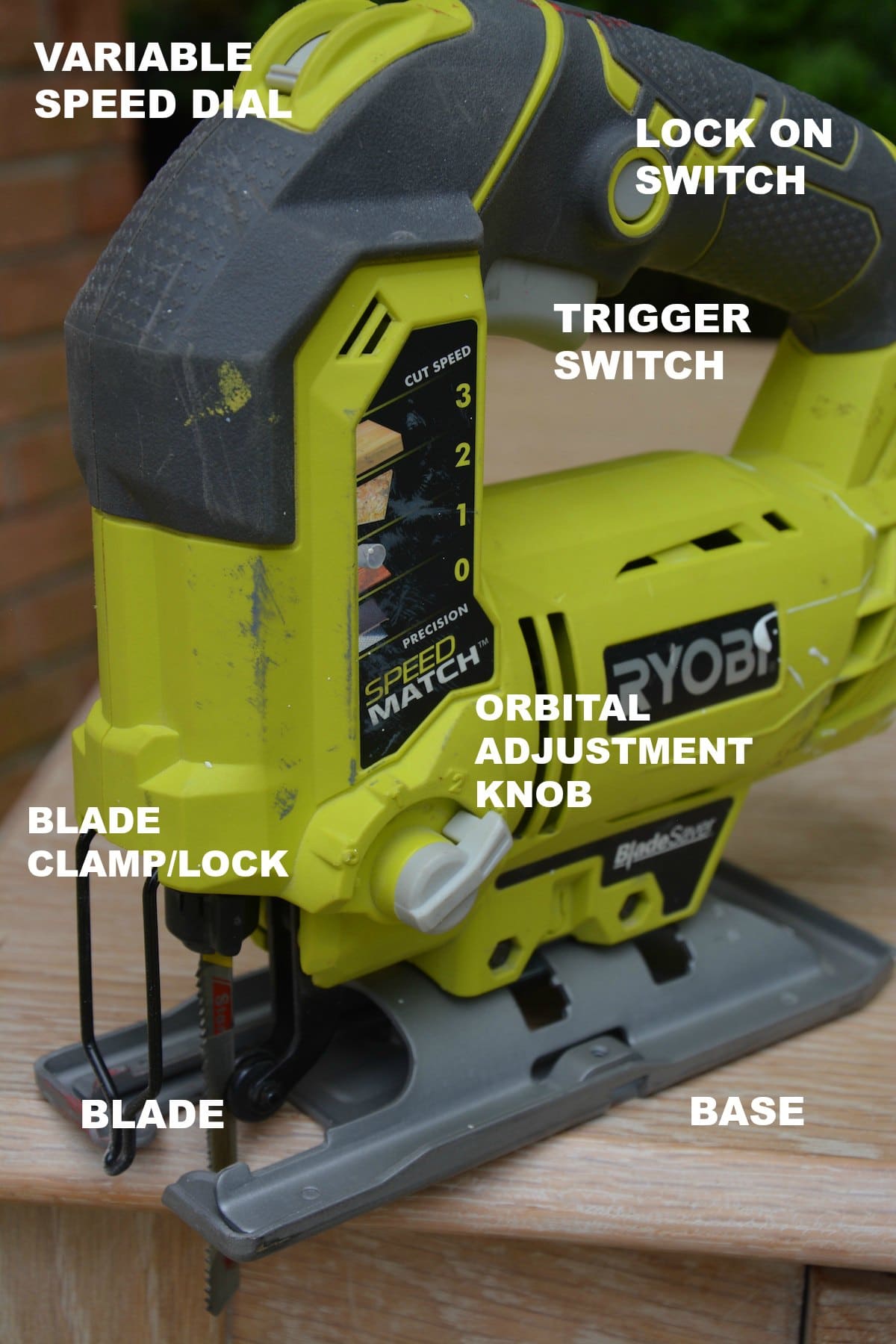
On many jigsaws, orbital action is controlled by a side-mounted lever or dial marked 0, 1, 2, and 3. The exact number of positions varies by model. Setting 0 normally means no orbital movement, while higher numbers progressively increase the amount of orbital movement.
The practical effect is straightforward: more orbital movement generally makes the saw cut more aggressively and quickly in appropriate materials, while less orbital movement gives the operator greater control and usually produces a cleaner cut.
Source: bestlife52.com
Straight reciprocating action
The blade mainly travels vertically. This favors control, cleaner edges, tight curves, and applications where excessive material removal is undesirable.
Orbital action
The blade adds forward movement during part of its stroke. This increases the aggressiveness of the cutting action and can improve cutting speed in suitable materials.
Pendulum action
Manufacturers and tool guides may use pendulum action as another name for the forward-and-backward component of jigsaw blade movement.
How Does Orbital Movement Change the Cut?
With no orbit, the teeth remain engaged with the material through a more vertical reciprocating cycle. With orbit enabled, the blade moves forward as it cuts and retracts slightly as part of the return movement. This changes the angle and timing of tooth engagement with the workpiece.
The result is a more aggressive bite and easier chip evacuation in many wood-cutting applications. The trade-off is that the more aggressive movement can make the cut less controlled and leave a rougher edge or more tear-out.
Faster material removal
More orbital movement can allow the blade to remove material more aggressively during each cutting cycle.
More chip clearance
The additional blade movement can help chips move away from the teeth instead of remaining packed around the cutting area.
Rougher potential finish
The same aggressive movement that improves cutting speed can increase splintering, tear-out, vibration, or difficulty following a precise line.
What Do the Jigsaw Orbital Settings Mean?
Most adjustable jigsaws use a scale where 0 represents straight-line cutting and progressively higher numbers represent more orbital movement. The exact material recommendations vary between models, so the markings on the tool manual should take priority over any generic chart.
A useful starting point is to treat orbital settings as a control between precision and cutting aggressiveness rather than as fixed material rules. A lower setting does not mean slow cutting in every situation, and a higher setting does not automatically mean better performance.
Source: mamaneedsaproject.com
Setting 0: No orbital action
Use when you need the cleanest and most controlled cutting behavior, including many metal-cutting applications, delicate work, tight curves, and splinter-sensitive materials.
Setting 1: Light orbital action
Provides a small increase in aggressiveness while retaining more control than the higher settings. It can be useful for harder woods, selected plastics, and general-purpose cuts where some additional speed is helpful.
Setting 2: Medium orbital action
Provides a stronger cutting action for suitable wood, plywood, and similar materials when a balance between speed and finish is acceptable.
Setting 3: Maximum orbital action
Provides the most aggressive orbital movement on many four-position jigsaws. It is generally intended for faster cutting in suitable soft materials where maximum finish quality is not the primary objective.
A Practical Orbital Setting Guide
Use the following as a starting framework rather than a universal rule. Bosch, SKIL, Makita, and other manufacturers provide model-specific recommendations, and the blade manufacturer’s instructions can further limit which orbital settings are appropriate.
Clean woodworking cut
Start at 0 or a low setting. Increase only if the cut is unnecessarily slow and the finish remains acceptable.
Fast straight cut in softwood
A medium or high setting may be appropriate when speed matters more than a fine edge.
Tight curve or scrolling cut
Use 0 or a low setting because excessive orbital movement can make it harder to steer the blade accurately.
Metal cutting
Start with orbital action off or at the setting specifically recommended by the tool and blade manufacturer. Many manuals recommend setting 0 for metal.
Splinter-sensitive material
Start with orbital action off and use an appropriate fine-tooth or specialty blade. Test the setup before making the final cut.
When Should You Use More Orbital Action?
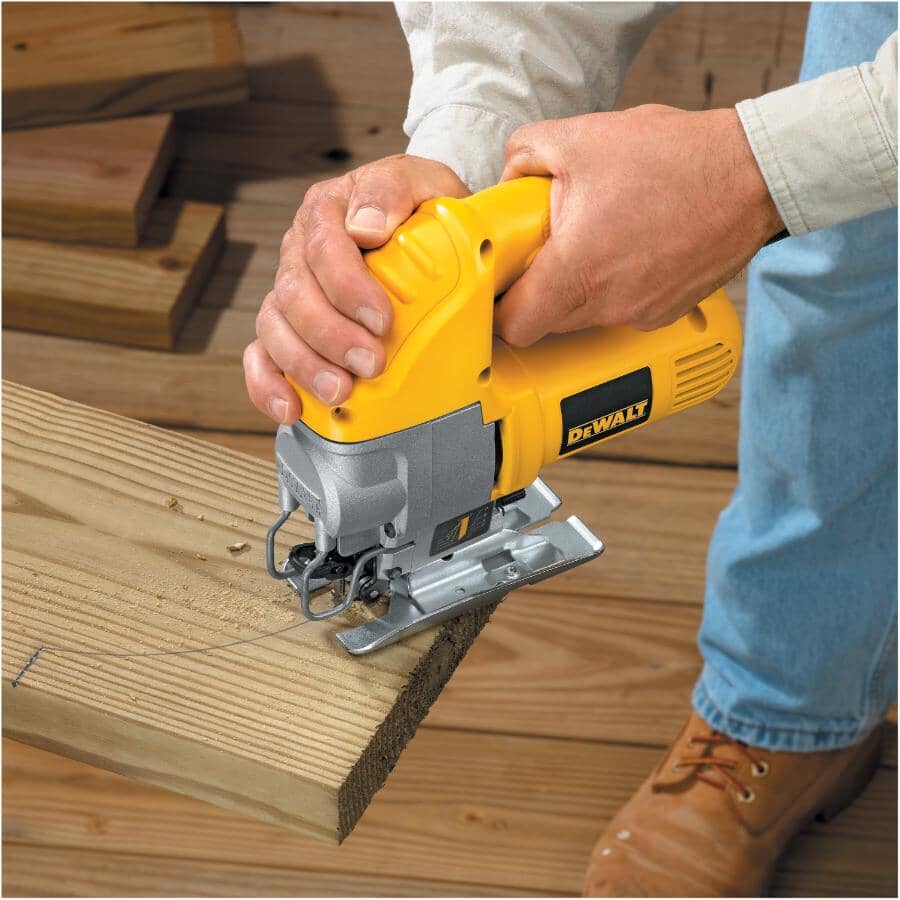
Use more orbital action when cutting speed and material removal are more important than achieving the smoothest possible edge. This is particularly useful for suitable wood cuts where the blade can take advantage of the more aggressive forward movement.
Higher orbital settings are often useful for relatively straight cuts through softwood, plywood, and similar materials. They are less attractive when the blade must follow a tight curve, when the cut edge will be visible, or when the material is prone to chipping.
For example, if you are cutting a rough opening in plywood for a later installation, a medium or high orbital setting may save time. If you are cutting the visible edge of a cabinet component, a lower setting may provide better control and reduce edge damage.
Source: thriftdiving.com
Choose higher orbit for speed
Use it when the workpiece is suitable, the cut is relatively open, and a rougher edge is acceptable.
Choose lower orbit for control
Reduce the setting when the cut line is complex, the edge is visible, or the material is difficult to control.
Match orbit to the blade
A coarse wood blade and a fine metal blade have different cutting behavior. The correct orbital setting must work with the blade rather than being selected independently.
Why Higher Orbit Can Cut Faster
The additional forward movement changes how the teeth attack the material. Instead of repeatedly traveling through essentially the same vertical path, the blade moves into the material more aggressively during the cutting portion of its stroke.
That movement can increase material removal per cycle and help clear chips from the cutting area. It does not eliminate the need for the correct blade, speed, or feed rate. A dull blade, unsuitable tooth pattern, excessive pressure, or incorrect speed can still produce poor results regardless of the orbital setting.
When Should You Turn Orbital Action Off?
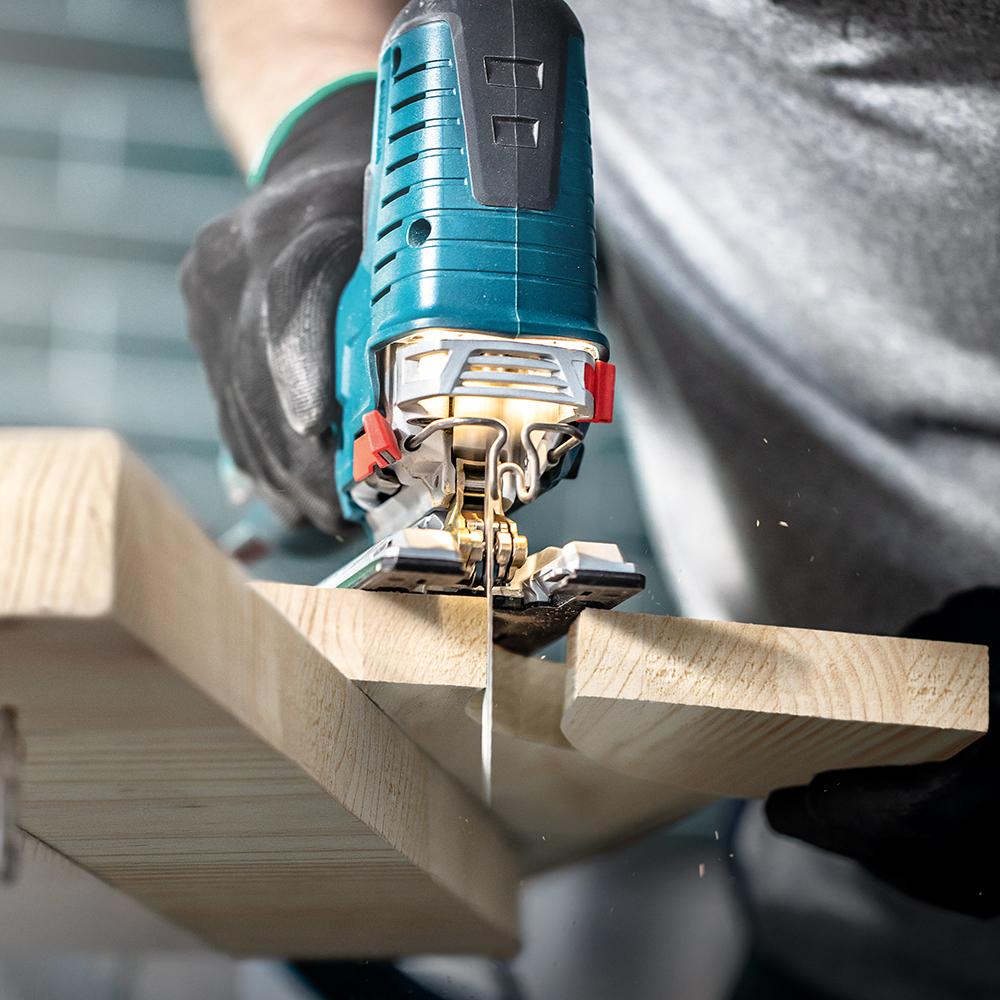
Turn orbital action off when precision, edge quality, or controlled blade movement is more important than maximum cutting speed. Setting 0 is commonly the starting point for metal, delicate cuts, tight curves, and splinter-sensitive work.
Straight-line motion is also useful when making detailed cuts where you need to keep the blade closely aligned with the marked line. The reduced aggressiveness makes it easier to slow down and steer the tool.
Many manufacturer manuals specifically restrict certain blade designs to orbital setting 0. Reverse-tooth blades, some specialty blades, carbide-tipped blades, and grit-edge blades may require straight-line operation depending on the manufacturer and blade design. Always check the instructions for the specific blade.
Source: homehardware.ca
Metal
Use the manufacturer’s recommended setting, which is often 0. Orbital movement can be unsuitable for some metal-cutting blades and applications.
Tight curves
Lower orbital action improves steering control and reduces the tendency of the blade to push aggressively through the curve.
Fine woodworking
Lower or zero orbit can reduce aggressive tooth engagement and help preserve the cut edge.
Plunge cuts
Follow the tool manual. Some jigsaw manuals recommend setting 0 for plunge cutting because it provides more controlled blade behavior.
Why Zero Orbit Is Often Better for Curves
A jigsaw blade must be steered through the curve rather than simply pushed forward. High orbital action encourages a more aggressive cutting motion, which can make it harder to keep a narrow blade exactly on a curved line.
For a tight radius, start with orbital action off or low, reduce the feed rate, and use a blade designed for curved cuts. If the blade begins to bend or wander, forcing the tool is usually counterproductive. A narrower blade, slower feed, or relief cuts may solve the underlying problem.
How to Set Jigsaw Orbital Action Correctly
Setting orbital action is simple, but the tool should be stopped before changing the orbital selector unless the manufacturer’s instructions specifically state otherwise. Never reach near the blade or moving mechanism while the jigsaw is operating.
The best setting is determined by the material, blade, cut shape, and desired finish. A short test cut in scrap material can reveal more than relying on a generic setting chart.
Source: lowes.com
1. Identify the material
Determine whether you are cutting softwood, hardwood, plywood, plastic, metal, laminate, or another material.
2. Identify the type of cut
Decide whether the cut is a rough straight cut, precise straight cut, tight curve, bevel, plunge cut, or another operation.
3. Install the correct blade
Choose a blade designed for the material and required finish. Confirm any orbital-action restrictions printed on the blade packaging or manufacturer documentation.
4. Start with a conservative setting
When uncertain, begin with 0 or a low orbital setting and make a test cut.
5. Increase orbit if appropriate
If the saw is cutting too slowly in a suitable material and the finish does not need to be extremely clean, increase the setting one step at a time.
6. Check the result
Look at cutting speed, edge quality, splintering, blade wandering, vibration, and heat before choosing the final setting.
Signs You Chose Too Much Orbital Action
The most useful warning signs are excessive tear-out, difficulty staying on the cut line, increased vibration, a visibly rough edge, or a blade that becomes difficult to control. If these appear, reduce the orbital setting and reassess the blade and cutting speed.
If the saw still performs poorly at a low setting, do not assume the orbit control is the problem. A dull or incorrect blade, excessive feed pressure, unsupported material, incorrect speed, or a damaged blade guide can produce similar symptoms.
Cut wanders from the line
Reduce orbital action and feed pressure, then check whether the blade is appropriate and sharp.
Excessive splintering
Lower the orbital setting and consider a finer-tooth blade, anti-splinter insert, masking or scoring technique, or changing which face of the material is presented to the tool.
Edge becomes very rough
Reduce orbit and verify that the blade tooth pattern matches the material and desired finish.
Blade heats or binds
Stop and inspect the blade, material support, feed pressure, speed, and cutting conditions instead of simply increasing orbital action.
Orbital Action, Blade Type, and Speed Work Together
Orbital action cannot compensate for the wrong blade. The blade determines how the teeth interact with the material, while orbital action changes the motion of those teeth. Variable speed then controls how rapidly that motion occurs.
For wood, a coarse blade can remove material quickly, while a fine-tooth blade can produce a cleaner edge at the expense of cutting speed. For metal, blades normally have finer teeth and the cutting approach is different. Plastic may require a blade and speed combination that avoids excessive heat and melting.
The safest approach is to treat blade selection, orbital action, speed, and feed pressure as a single cutting system. Change one variable at a time when troubleshooting so you can determine which adjustment actually improves the result.
Source: sydneytools.com.au
Blade
Controls tooth geometry, tooth spacing, material compatibility, and much of the resulting edge quality.
Orbital action
Controls how aggressively the blade moves into and away from the work during its reciprocating cycle.
Speed
Controls how quickly the blade completes its strokes. The correct speed depends on the material, blade, thickness, and tool.
Feed pressure
Controls how hard the operator pushes the tool through the material. Excessive force can increase deflection and reduce control.
What Happens If You Force the Jigsaw?
Pushing harder is not a substitute for choosing the correct orbital setting. Excessive feed pressure can bend the blade, cause it to wander, increase friction, and make the cut less accurate. Manufacturer guidance commonly recommends using only enough forward pressure to keep the blade cutting steadily.
If the jigsaw feels slow, check the blade first. A dull blade or an unsuitable tooth pattern may be the real cause. Then evaluate speed, material support, and orbital action before applying additional pressure.
Common Jigsaw Orbital Action Mistakes
Most orbital-action problems come from treating the selector as a simple speed control. It changes the character of the blade movement, not just how fast the motor runs. A higher setting can be useful, but only when the material and cut allow the extra aggressiveness.
Using maximum orbit for every wood cut
Maximum orbit favors speed and aggressive cutting but can reduce control and finish quality. Use it selectively rather than as a default.
Ignoring the blade manufacturer’s instructions
Some specialty blades should only be used with orbital action off. The blade documentation takes priority over a generic setting chart.
Using high orbit on tight curves
Aggressive movement can make precise steering more difficult. Start with low or zero orbit for tight curves.
Forcing the tool because the cut is slow
Check blade sharpness, tooth design, speed, material thickness, and orbital setting before increasing physical pressure.
Changing the setting while the tool is moving
Follow the jigsaw manual and allow the tool to stop before changing the orbital selector unless the manufacturer explicitly permits adjustment during operation.
Testing directly on the final workpiece
A scrap test can reveal splintering, blade wandering, excessive heat, or poor finish before those problems affect the finished component.
A Simple Troubleshooting Sequence
If the jigsaw is not producing the expected result, troubleshoot from the simplest variables to the more complicated ones. First verify that the blade is installed correctly and is appropriate for the material. Next check the orbital setting, speed, and workpiece support. Finally inspect the blade, roller guide, shoe, and tool for damage or unusual movement.
Stop using the tool if you find a damaged power cord, damaged battery or housing, loose blade clamp, malfunctioning switch, broken blade guide, or other condition that could make continued operation unsafe. Follow the manufacturer’s repair guidance or have the tool serviced by a qualified technician.
Frequently Asked Questions
Q
What does orbital action do on a jigsaw?
Orbital action adds forward movement to the blade’s normal up-and-down reciprocating stroke. This creates a more aggressive cutting motion that can increase cutting speed and chip removal in suitable materials, especially wood. The trade-off is potentially more splintering, vibration, and roughness.
Q
Should I use orbital action on wood?
You can use orbital action on many wood-cutting applications, but the correct setting depends on the blade, wood type, thickness, and desired finish. Higher settings are generally more useful for fast, relatively rough cuts, while lower settings are better when you need greater control or a cleaner edge.
Q
What orbital setting should I use for plywood?
Start with a low or medium setting and test it on scrap plywood. A higher setting may cut faster, but it can increase tear-out. If the plywood face must remain clean, prioritize a suitable fine-tooth blade and lower orbital action rather than simply increasing the setting.
Q
Should orbital action be on or off for metal?
Many jigsaw manufacturers recommend no orbital action for metal, particularly with fine-tooth metal-cutting blades. However, the correct setting depends on the specific tool and blade. Check both manuals before cutting metal, and use the recommended speed and cutting lubricant when applicable.
Q
Does higher orbital action make a jigsaw cut faster?
Higher orbital action can make a jigsaw cut faster in suitable materials because the blade takes a more aggressive cutting path. It does not guarantee a faster or better cut in every situation. A dull blade, unsuitable blade type, incorrect speed, excessive feed pressure, or difficult material can still limit performance.
Q
Can I use maximum orbital action for curved cuts?
Maximum orbital action is generally not the best starting point for tight curves because the aggressive blade movement can make steering more difficult. Use a suitable narrow or scroll blade with low or zero orbital action, reduce feed pressure, and let the blade follow the curve.
✦ Wrapping Up
Conclusion
Jigsaw orbital action is a control for changing the blade’s cutting behavior. Setting 0 keeps the blade in a primarily straight reciprocating path for greater control and cleaner cutting, while higher settings add more aggressive forward movement that can speed up appropriate cuts in wood and other suitable materials.
The correct setting depends on more than the material name. Blade design, cut shape, thickness, speed, desired finish, and the manufacturer’s instructions all affect the result. When uncertain, start conservatively, make a test cut in scrap material, and change one setting at a time.
For U.S. DIY and woodworking projects, the most useful habit is to treat orbital action as a precision-versus-speed adjustment rather than a setting that should always be turned to maximum. Use low or zero orbit when control matters and increase it when the material and cut allow a more aggressive approach.
💡 Key Takeaway
Start with the lowest practical orbital setting, use the correct blade, make a test cut, and increase the orbit only when the added cutting speed is worth the trade-off in finish and control.